Connect and inspect agents
Make sure the assistant is connected to the intended durable Mind.
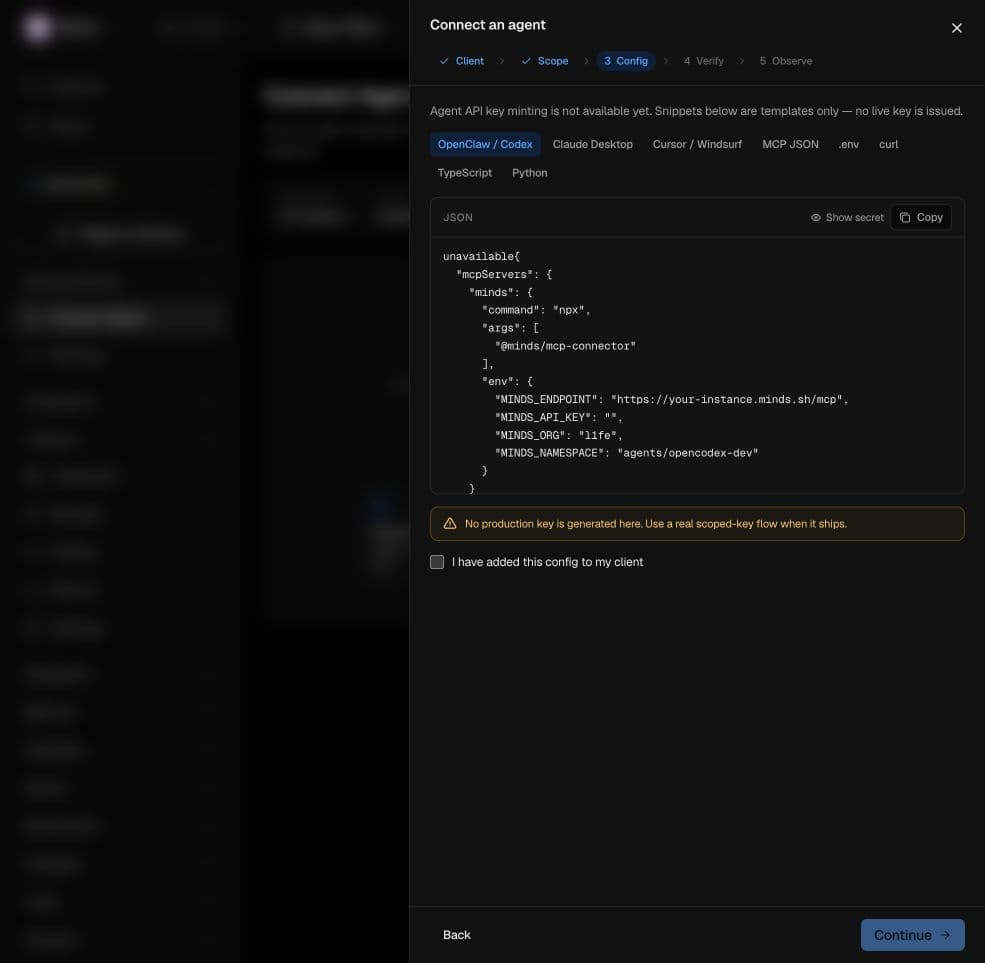
Open Connect Agent to choose a client and inspect its configuration workflow. The interface includes options for common assistants, custom MCP clients, REST, SDKs, and a local daemon.
Treat setup as three separate checks
- Configuration: the client has a valid executable or endpoint and the correct transport.
- Authority: the credential authorizes the intended instance, namespace, and operations.
- Persistence: a write can be recalled after the connection or agent process restarts.
The initial wizard generated demo credentials and used timed verification. The repaired live configuration step now explicitly says key minting is unavailable and shows templates with no live key. This is an availability warning, not a successful connection. Follow the agent guides and their compatibility notes until a real credential and durable handshake are implemented and verified.
Inspect tools separately
The Agents and MCP Tools pages expose connection and tool information. A tool appearing in a catalog does not prove that the client has permission to call it or that it uses the durable instance backend. Test the exact tool and retain the operation result.